Guides
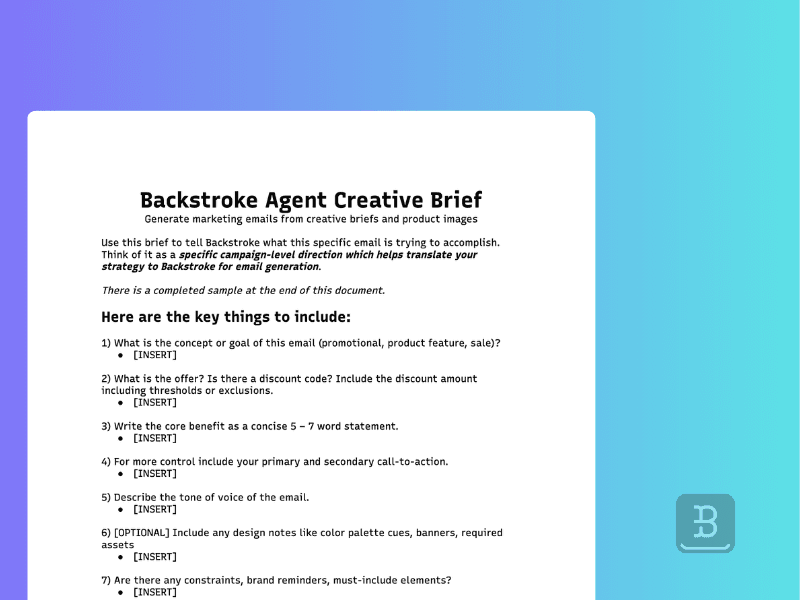
How to Complete a Killer Backstroke Agentic Email Brief
Learn how to complete a Backstroke Agentic Email Brief to generate faster, more accurate, on-brand emails with fewer revisions.

Download a copy of the brief template discussed in this guide:
[DOWNLOAD THE AGENTIC EMAIL BRIEF TEMPLATE]
What the Agentic Email Brief Is (and Why It Matters)
The Agentic Email Brief is how you tell Backstroke what this specific email is trying to accomplish. Think of it as a specific campaign-level direction which helps translate your strategy to Backstroke for email generation.
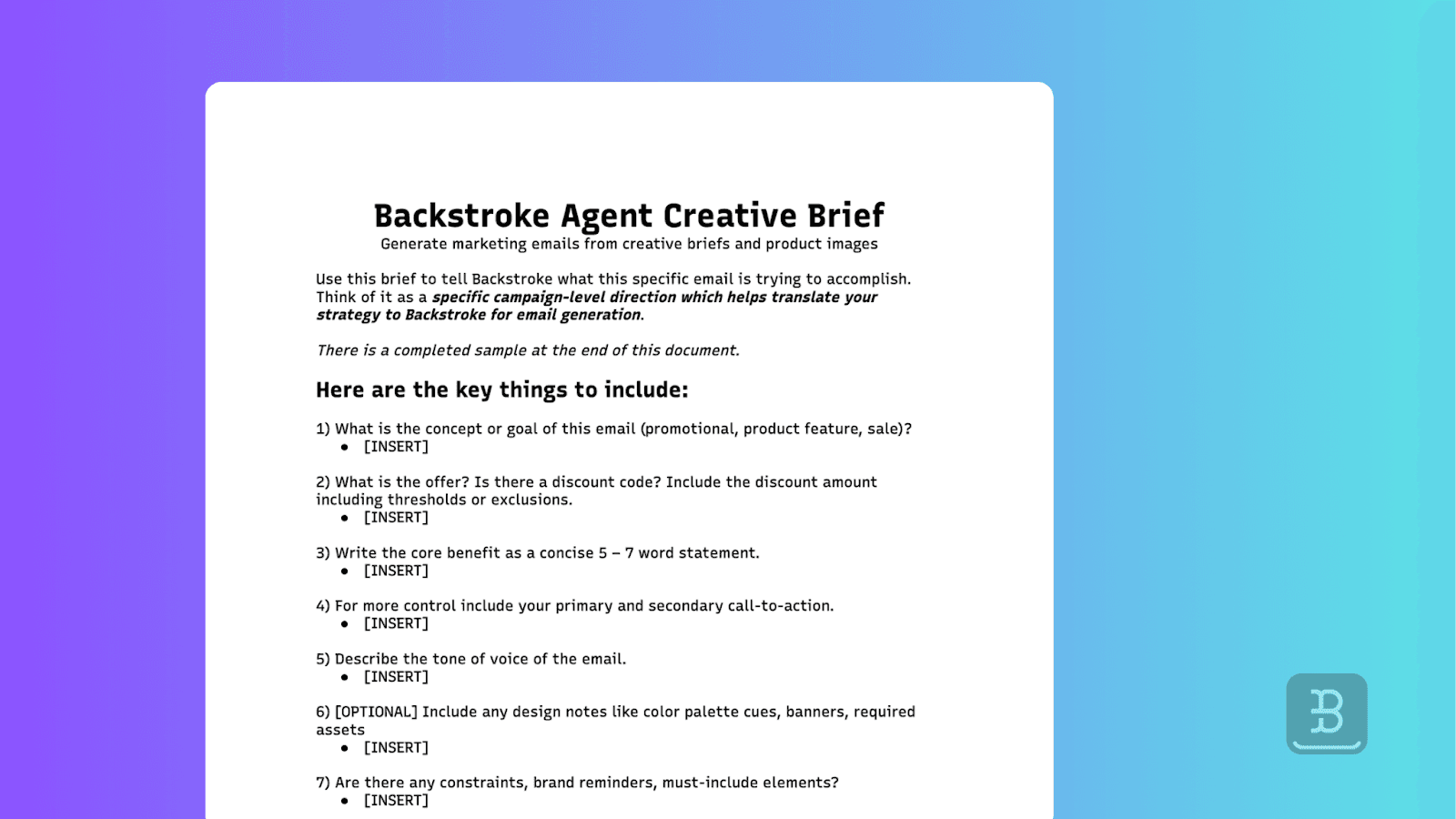
A strong brief gives the agent clear intent, constraints, and priorities so it can generate an email that’s on-brand, accurate, and ready with minimal back-and-forth.
How the Brief Relates to Brand Requirements
Importantly, the brief works in conjunction with your Brand Requirements. These requirements live within Backstroke. They are first populated during onboarding and outline your global brand preferences.
Here’s a short summary of each tool and how they play together:
Brand Requirements define your baseline voice, tone, formatting rules, and visual standards. They act as the long-term source of truth for how your brand shows up in Backstroke generated content like emails and SMS messages.
The Agentic Email Brief defines what’s unique about one single campaign.
It is possible that something in the brief contradicts something in the brand requirements. In this case, Backstroke agents will do their best to interpret context and intent, however it will generally bias towards the brief.
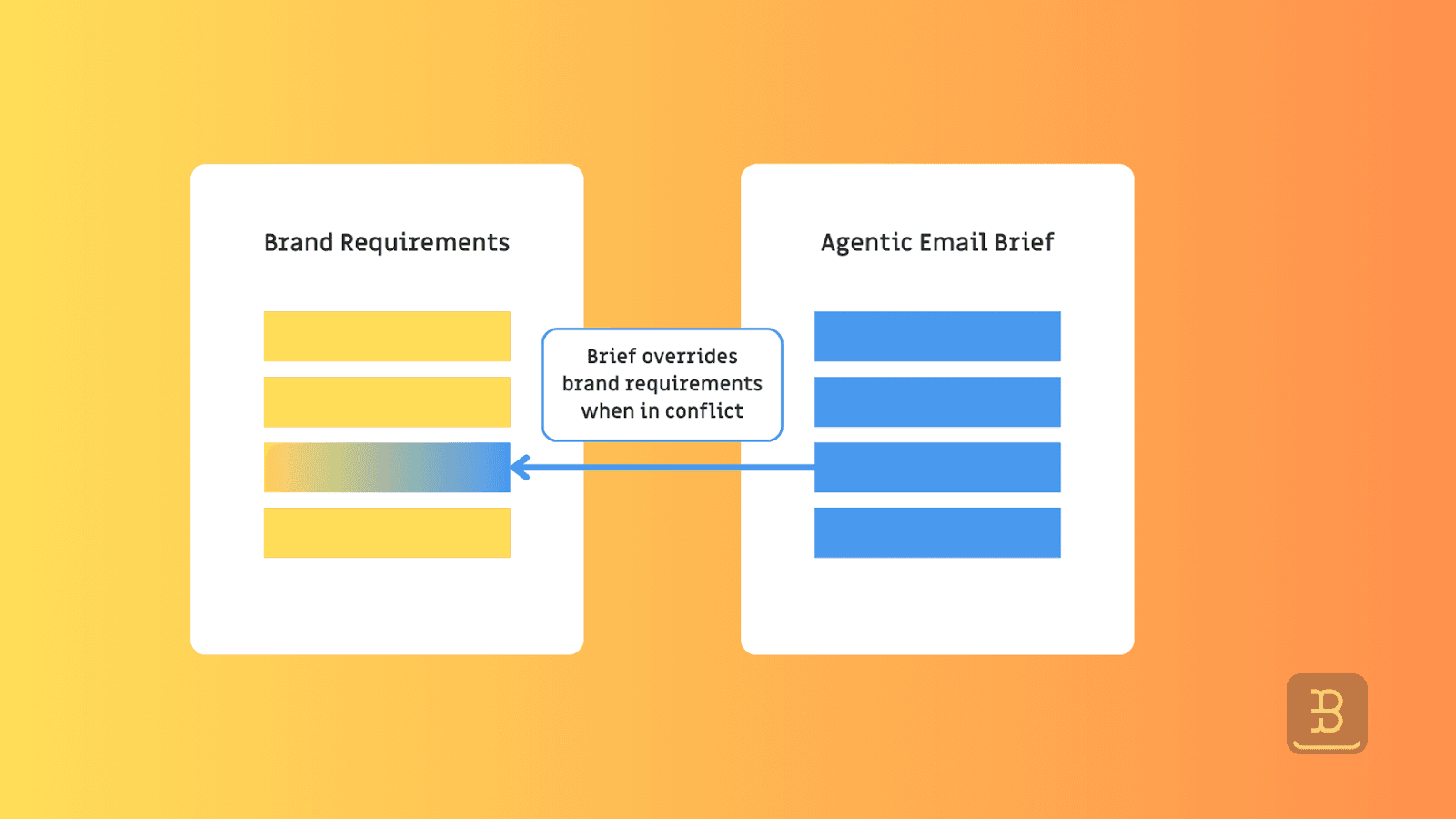
Example: Let’s say your brand guidelines recommend “avoid urgent language”. However your marketing team decides to push a final-day sale message in which urgency is a desired tone. You should outline this in the brief and the agent will understand this is a special circumstance where it should override the global brand preferences.
Step-by-Step Guide to Fill Out Each Field in the Brief
Use this as a guide to properly fill out a Backstroke Agentic Email Brief. Briefs should not feel cumbersome or time consuming to complete. They should be specific, to the point, and follow the structure outlined below. You can download a copy of our brief template here.
You are welcome to leave certain fields blank if you don’t have relevant content to input. However, keep in mind the more specific you are, the more likely the final output will match your desired strategy.
Below we will go through each question within the brief including a short description of the field and 4-5 examples of what a strong input looks like.
1. Campaign goal / concept
This is the primary job of the email. If the agent only understood one thing, it should be this. Try to convey the primary objective in a sentence or two.
Strong examples
“Promote our End-of-Season Sale and drive purchases today.”
“Announce the new Winter Carry-On launch and highlight 3 hero features.”
“Last-chance reminder: sale ends tonight at midnight.”
“Product education: explain why this fabric is warmer, softer, and longer-lasting.”
“Winback: re-engage lapsed buyers with a ‘come back’ offer.”
2. Discount / offer
Spell out the offer exactly as it should appear in the email, including thresholds and exclusions. If there’s a code, include it.
Strong examples
“20% off sitewide. Code: WINTER20. Excludes gift cards.”
“Up to 30% off best sellers. No code needed.”
“Buy 2, get 1 free on travel pouches. Auto-applied in cart.”
“Free shipping over $75 (US only).”
“Members: extra 10% off in addition to sale pricing.”
3. Core benefit (5–7 words)
A short statement that answers why should the reader care? This becomes the backbone of the message.
Strong examples
“Pack lighter without sacrificing outfits.”
“Warmth that looks polished, not bulky.”
“Built to survive daily commutes.”
“Better sleep starts with better bedding.”
“The carry-on that keeps up.”
4. Primary CTA
This is the number one action the reader should take. Keep it simple and specific.
Strong examples
“Shop the Sale”
“Explore the New Arrivals”
“Get 20% Off”
“Build Your Set”
“Claim Your Offer”
5. Secondary CTAs
Secondary CTAs are supporting actions for shoppers who aren’t ready for the primary CTA.
Strong examples
“Shop Best Sellers”
“Shop Women’s” / “Shop Men’s”
“Shop Carry-Ons” / “Shop Accessories”
“See Gift Guide”
“Read Reviews”
6. Tone of voice
Describe the vibe for this campaign. This is a common area where the brief can contradict your Brand Requirements. That’s OK, just understand the model will assign more weight to the brief.
Strong examples
“Urgent but premium ‘final hours’ without sounding spammy.”
“Warm, helpful, and calm. More guide than pitch.”
“Playful and punchy. Short sentences. A little swagger.”
“Confident, minimalist, product-forward. No exclamation marks.”
“Giftable, cozy, heartfelt ‘send this to someone you love’ energy.”
7. Design notes
Include some basic visual direction that’s specific to this email (not evergreen rules).
Strong examples
“Add a thin banner above the hero: ‘Free shipping $75+’.”
“Use a countdown treatment in the hero (ends tonight).”
“Emphasize product close-ups over lifestyle for this send.”
“Keep copy blocks short; let imagery do the work.”
“Use a dark, moody palette for winter collection photography.”
8. Constraints / must-includes
Include non-negotiables that Backstroke would not otherwise know. Write these like a checklist so nothing gets lost.
Strong examples
“Must include disclaimer: ‘Discount applies to select items only.’”
“Must feature these 3 products (in this order): A, B, C.”
“Must mention ‘limited quantities’ once, not repeatedly.”
“Must include loyalty reminder: ‘Points apply on sale items.’”
“Do not mention shipping timelines.”
9. Product links
Use live Product Description Pages (PDP) links for each product you want featured. This is how Backstroke pulls accurate details. For the best performance, you should use PDPs and not other website pages.
Strong examples
10. Product images (optional)
As default, Backstroke will automatically select PDP images for use in the email. In cases where you want to feature product images that are not hosted on the PDP, you must include public image links in the brief (for example: new photography, campaign-specific text overlays, or DAM assets).
Strong examples
“Use this holiday flat-lay instead of PDP image: [public image link]”
“Use the new colorway photography (public link) — PDP isn’t updated yet.”
“Use this lifestyle shot for the hero product block: [public link]”
11. Hero image
Provide the hero image you want used (or confirm where it lives) and make sure the link is publicly accessible.
Strong examples
“Hero image: [public link]. Click-through URL: /collections/winter-sale”
“Hero image: [public link]. Click-through URL: /products/new-carry-on”
“Use campaign header image from our DAM: [public link]”
Common Mistakes to Avoid
Here we outline some common mistakes to avoid in order to save time and limit revisions.
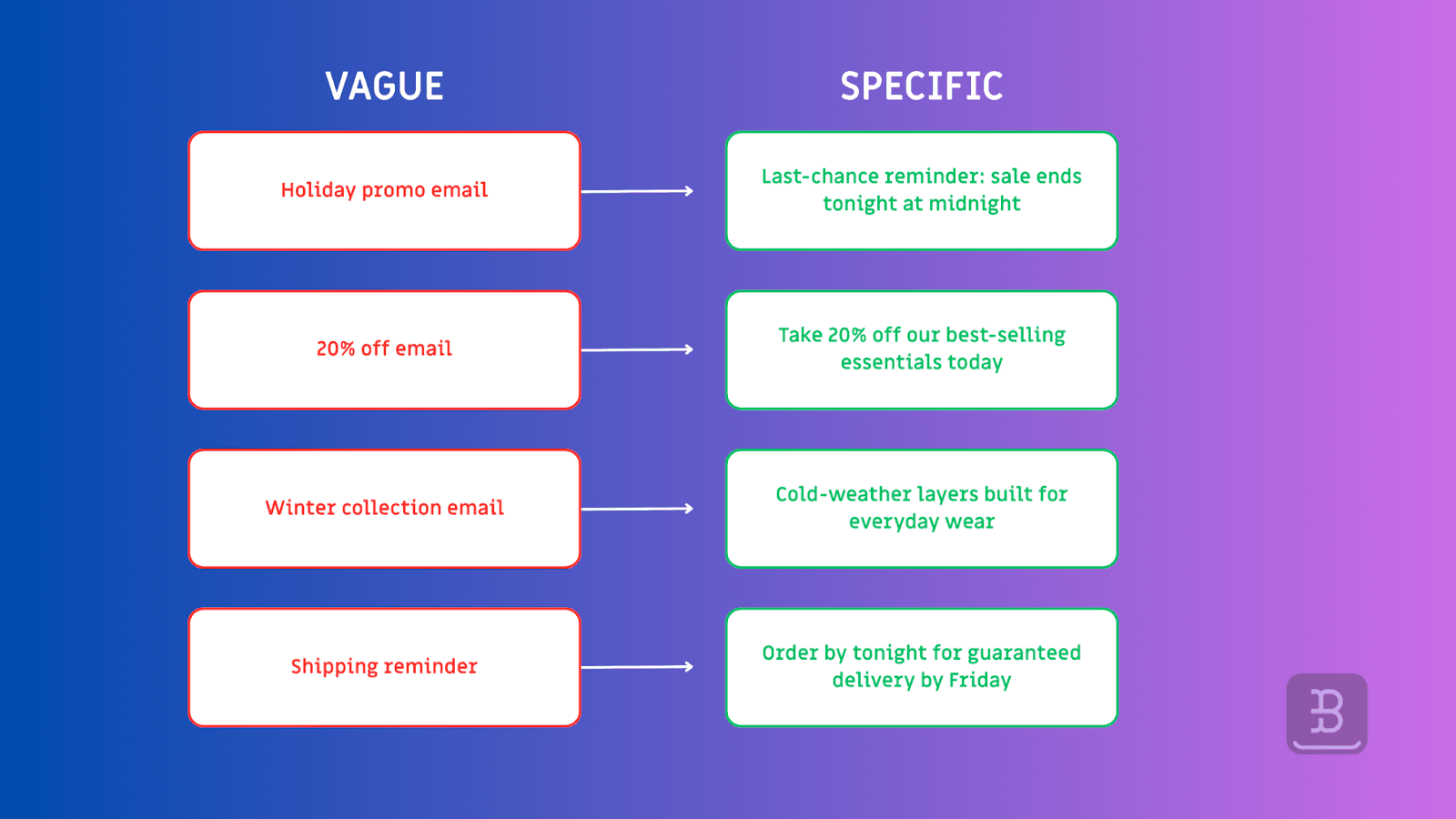
Being too vague. The agent can interpret ambiguity, but clarity always performs better.
Missing offer details. If it must appear in the email, it must appear in the brief.
Using non-PDP links. Product links should always point to live product pages.
Combining campaigns. Each campaign needs a separate brief, even if you have two campaigns that are very similar (such as a members email and a non-members email).
Relying on private assets. All links must be publicly accessible or our agents will not be able to use them.
Repeating brand rules instead of campaign direction. Use the brief to describe what’s different this time.
Providing outdated images. If the copy changes, make sure the assets match.
What Happens After You Submit the Brief
Once submitted, Backstroke uses your brief as the foundation for the entire campaign setup process.
First, the system parses your brief and extracts key inputs automatically — including campaign intent, offer details, tone, products, and constraints. This allows Backstroke to pre-fill much of the email experience before you ever touch the editor.
From there, you’ll move through the remaining steps of the workflow:
1. Layout and structure
Backstroke uses your reference template (or selected Klaviyo template) as the structural starting point. This ensures the email follows a familiar layout while allowing the agent to adapt copy, product placement, and hierarchy based on predicted performance.
2. Audience selection
Next, you’ll confirm who this email is going to. Depending on your setup, this may include predictive clusters, standard segments, or a single audience defined in Klaviyo. Backstroke uses audience context to tailor subject lines, preview text, and messaging nuances.
3. Message generation and review
Backstroke then generates the initial version of the email, including email content and the supporting HTML, subject lines, preview text, and optionally a companion SMS message. If you’re using predictive or agentic workflows, multiple variants may be created behind the scenes, each optimized for different audience behaviors.
You’ll be able to review the output, make edits, swap images, adjust copy, or refine tone directly in the editor.
4. Final review and deployment
Once everything looks right, you can approve the campaign and send it through your existing email platform. Backstroke does not replace your ESP — it accelerates everything that happens before send.
A strong brief doesn’t lock you in. It simply gets you to a high-quality starting point faster, reduces manual setup, limits revisions, and minimizes regenerations.
You can find access to our brief template below: