Product Updates

New in Backstroke: More Creative Options. Better Decisions On What to Send.
The nights are getting longer and so is your list of creative options. Here's what shipped this fall, plus a preview of where Backstroke is headed next.

You've generated six versions of a hero image and still don't know which one to send. This month, that changes. Backstroke customers have more ways to build brand-true creative, with straight answers on what to actually put in their emails.
Here’s a look at what’s shipped this month and get a preview of where we're headed next.
A First Look at Creative Loops
Historically, improving your hero image meant running the same loop by hand. You generate a batch of hero images, check each one for quality, score them against your control, then decide what to try next. That process was repetitive and monotonous.
Creative Loops are the answer to your endless hero creation and selection cycle.
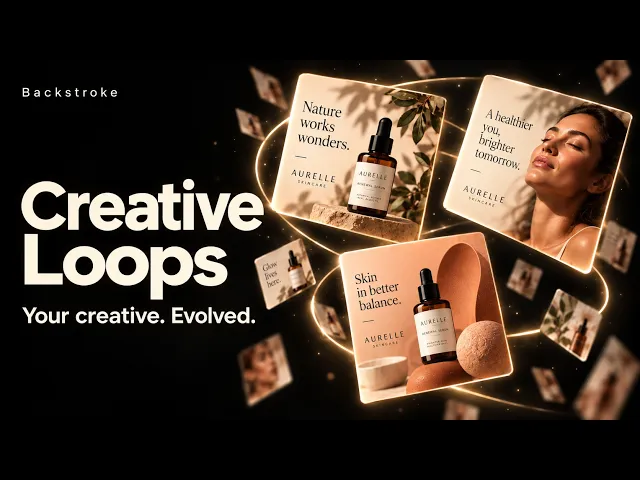
How Creative Loops work:
You start with three input.: The hero you'd otherwise send, your campaign copy and a product page URL or image. We’ll take it from there.
Backstroke generates a round of hero candidates. Each one is checked for product-fidelity issues, artificial-looking imagery, unwanted baked-in text and rendering defects.
The images that pass get scored against your individual audience cohorts—not just an overall average—and compared directly to the control you're already planning to send.
Those scores steer what gets generated next. Up to three rounds of heroes are generated, each one narrowing in on what's working, with the option to stop early once there's a confident answer.
You get a verdict and a recommended set showing which audience should see which image. From there, you can review the set, save the heroes you want to keep or push winners straight to a Klaviyo block.
Why it matters: Right now, that gap between generating options and knowing which one will actually perform is filled with gut calls, votes in Slack, bouncing between analytics tools or relying on whoever's opinion carries the room. Creative Loop is designed to fold that into one workflow, using each round to make the next one smarter.
We're heads-down building Creative Loops now and we can't wait to get it in your hands. We'll share pricing and rollout timing as we get closer. For now, consider this your first look at where the product's headed. And in the meantime, know that Creative Loop is built around starting with a control image, a different design from the Hero Lab block that you already know and love.
Greater Creative Range, Guided by Your Brand
Maybe you want to feature your product front and center. Maybe you want it in someone's hands or out in the world. Choose what kinds of images you want to explore, and let Hero Lab build a varied set using your brand's own materials, settings and visual direction.
Hero Families gives you seven creative directions to choose from:
Styled product
Brand color
Texture
Environment
Worn / in use
Lifestyle moment
Pattern (opt-in)
Pick your preferred directions, then get one image per family, with up to six per generation.
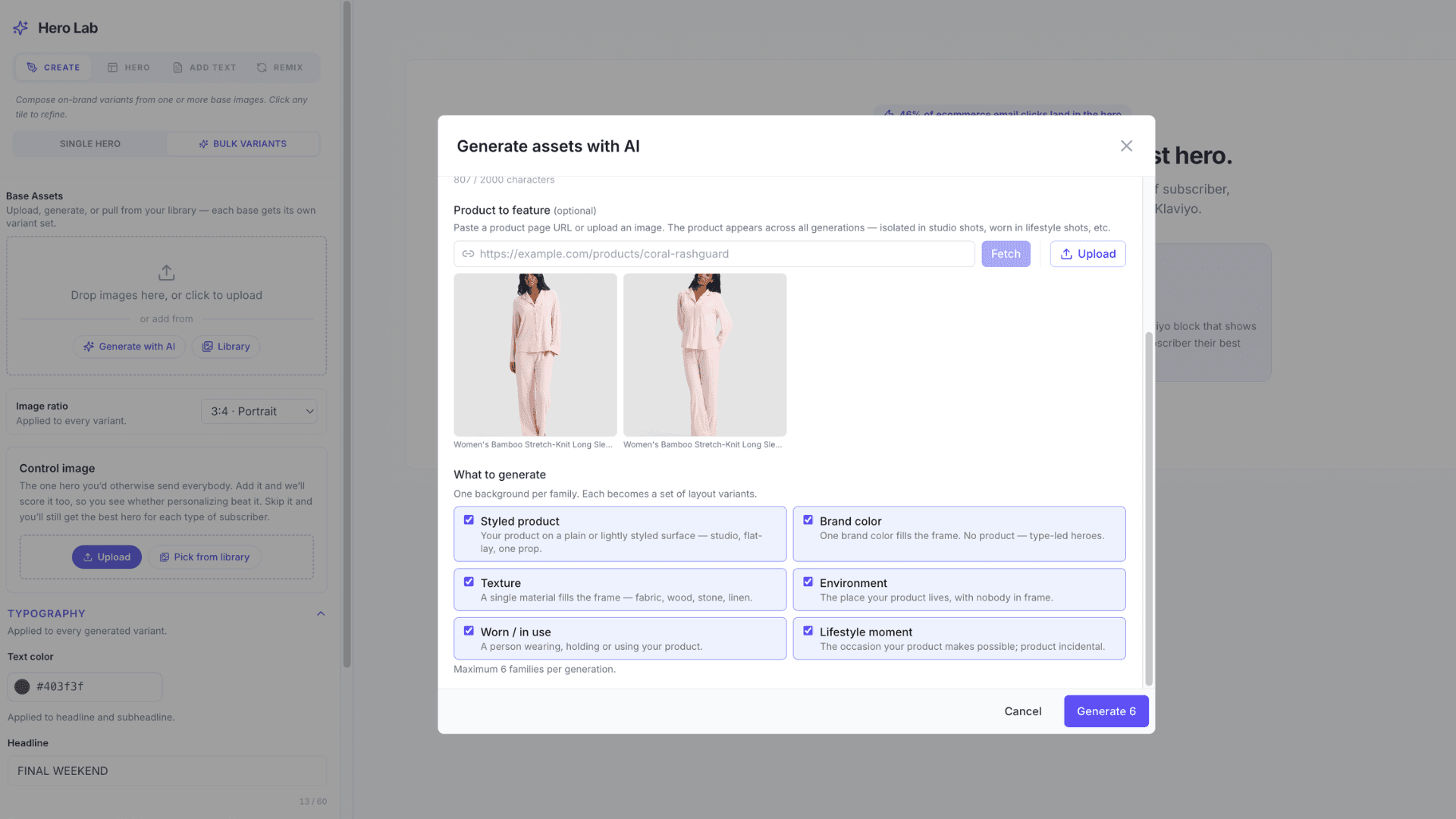
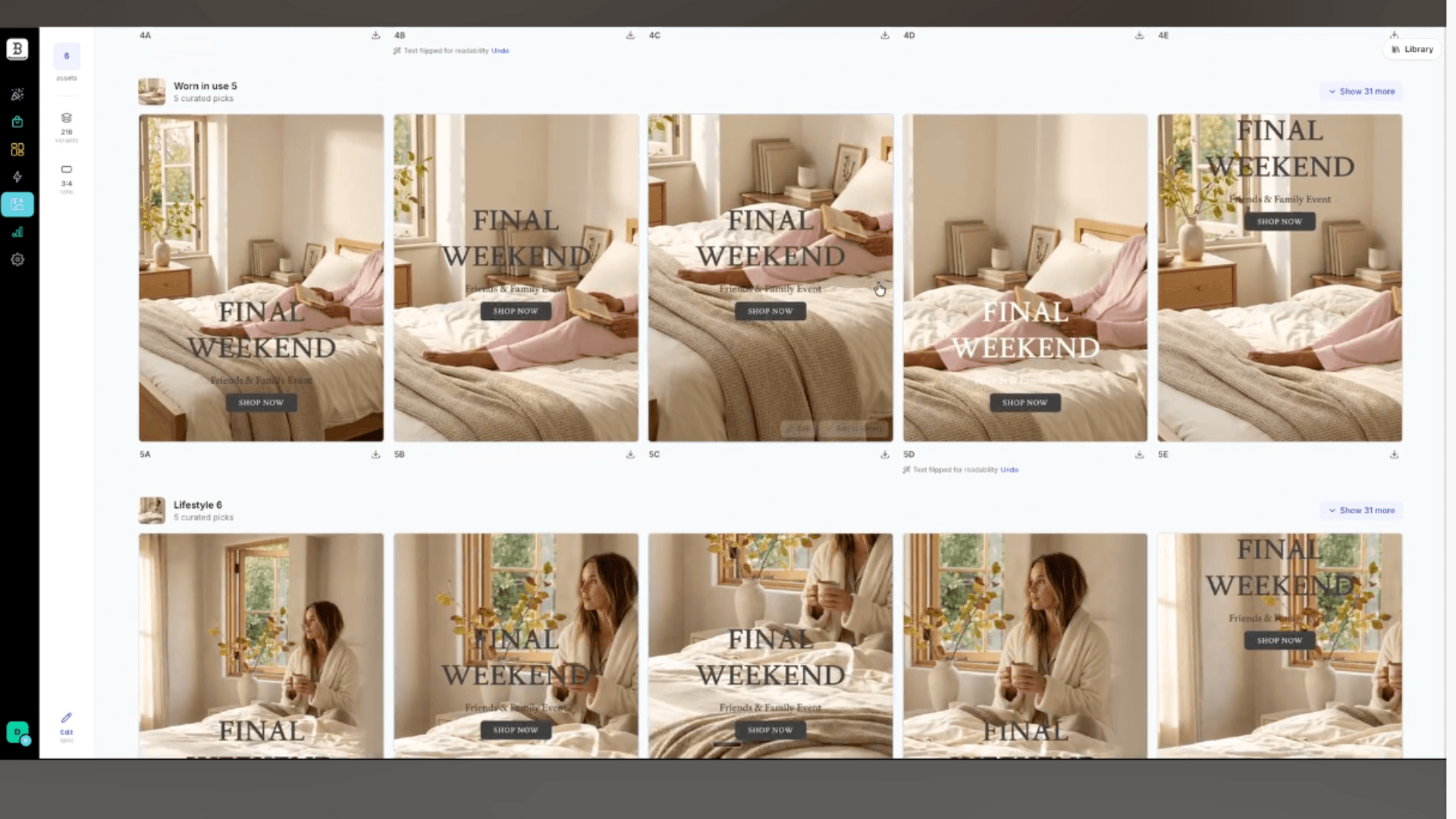
Why it matters: You can easily explore and compare genuinely different visual concepts from the same campaign brief.
Backing that up is the new Brand World, which knows the materials, places, moments and props tied to your brand config, plus photo treatments like editorial, UGC and seasonal styles. Every Backstroke image generation pulls from your unique brand direction. Think of it as guidance that steers hero generation and truly “gets you.” Or, well, it definitely gets your brand.
One more thing worth noting: Hero Lab now checks whether your copy is readable against each image and can switch the text color when an alternate reads better. You can undo the change if you don't love it. While not a guarantee of accessibility and perfection, this does mean that you’ll spend less time hunting down and manually fixing images where the headline disappears into the background.
Choose What to Send and Get It Into Your Email
Surge is Backstroke's predictive engine for hero images. It scores your options against your actual Klaviyo audience segments and turns the winner into a drag-and-drop content block. Its control comparison testing answers the useful question: is there actually a reason to change what you were already planning to send?
Campaign Surge now compares your potential hero candidates against a control image. It then returns an easy-to-understand verdict, such as:
A new recommended set beats your control. Different cohorts respond to different images, and Surge shows you exactly which audience gets which hero.
One new image beats it. A single candidate outperforms your control across the board.
Your control holds. None of the new candidates beat what you were already planning to send, so Surge tells you to stick with it instead of manufacturing a false winner.
Result's inconclusive. The data doesn't clearly favor either side. Surge says so, instead of forcing a verdict it can't back up.
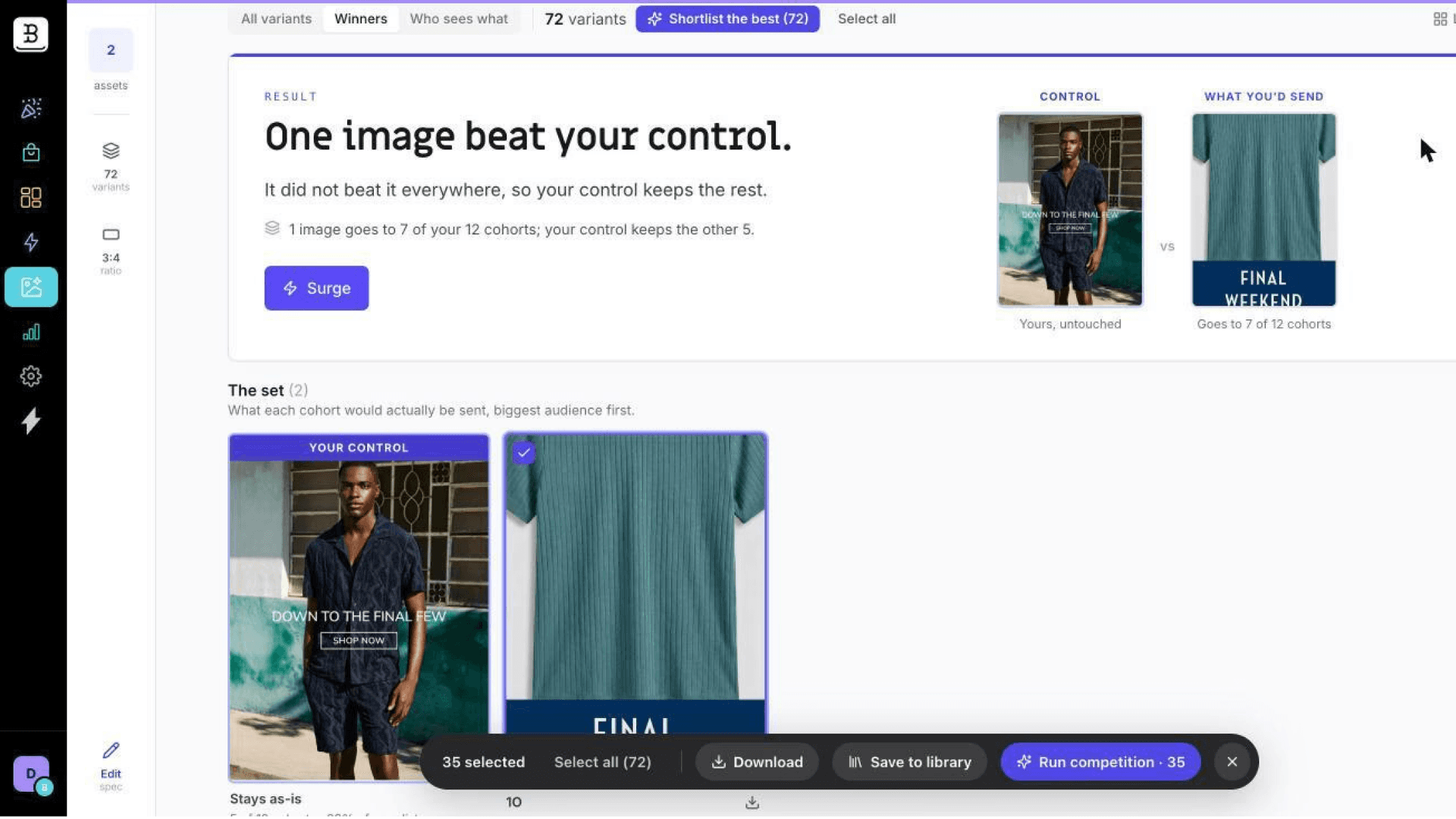
Once you have a result, two paths get it into your email.
Turn it into a Klaviyo block. Scored results become a Universal Content block that keeps the cohort-to-image assignments intact. Therefore, your personalization travels with the block, not just the images.
Insert a saved asset directly. Hero Lab now has its own tab in the email editor's image picker. Browse your saved heroes and backgrounds and drop them straight into the email you're building.
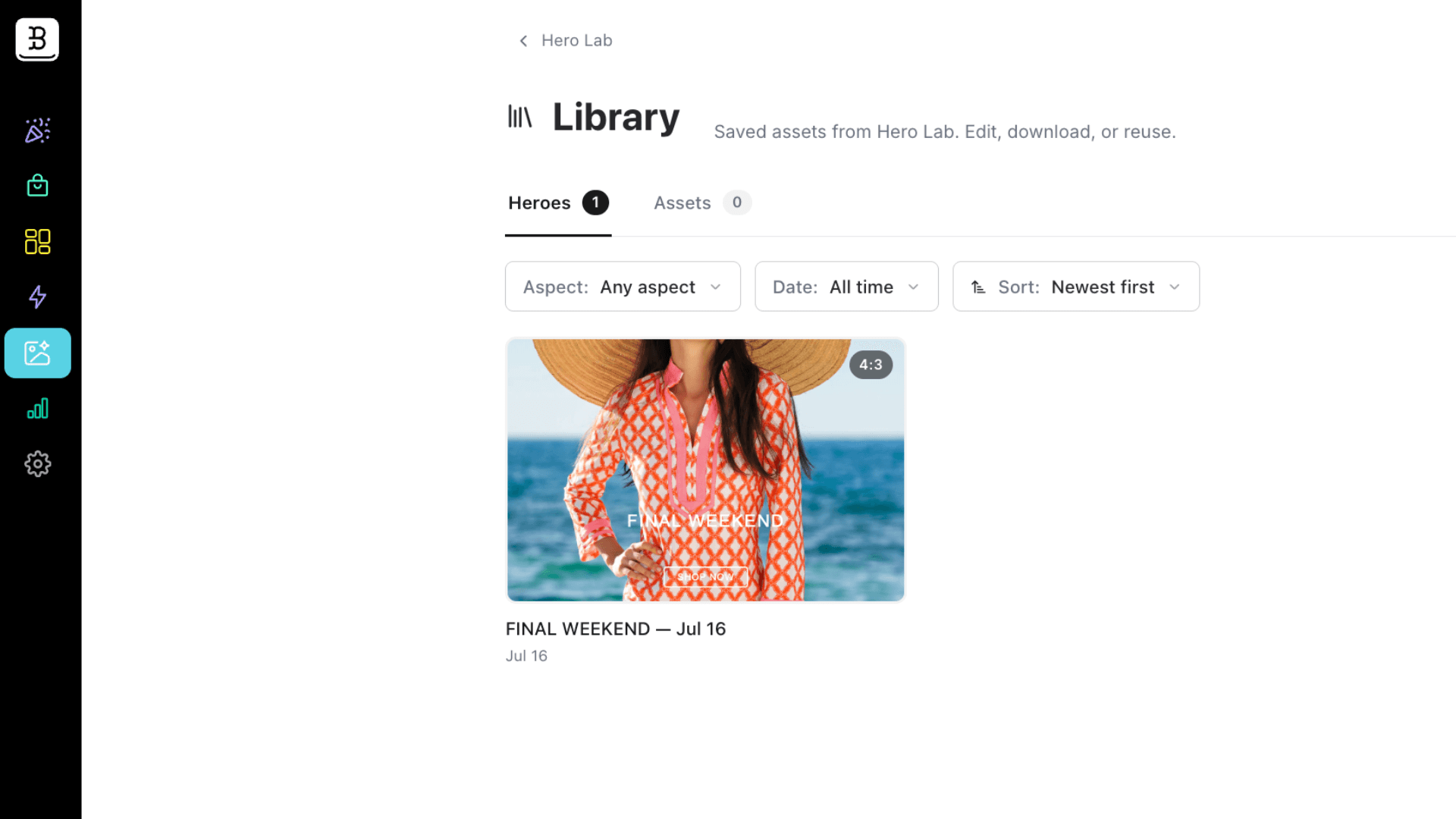
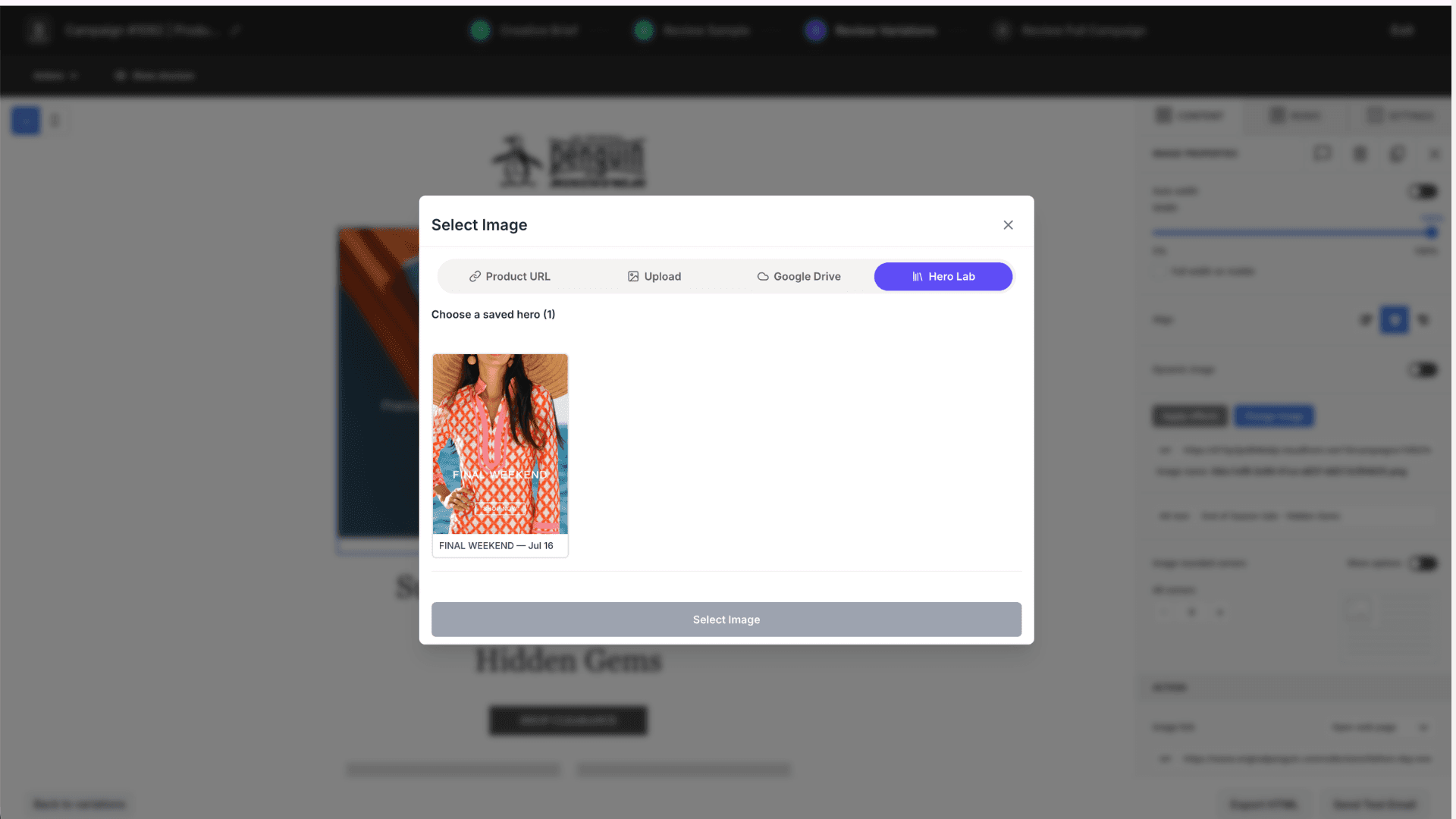
Why it matters: You’ll spend significantly less downloading, re-uploading and duplicating work between your creative library and your campaign builder. Who doesn’t love that kind of extra time?
Quick Hit Product Updates
Here are a handful of smaller, yet meaningful improvements we’ve turned out this month.
Stay signed in across tabs. Open a campaign in a new tab without logging in again.
Stronger save protections. An empty editor state can no longer accidentally overwrite an email you've already built.
Clearer feedback, fewer stuck states. Heroes that couldn't be evaluated now show a "not checked" status and image generation retries automatically.
Conditional email rows. Use Klaviyo's show/hide logic to build rows that only appear for the right audience.
Request a Surge report from the product. Ask directly from the block. The Backstroke team will fulfill your request.
Make Better Creative Decisions Now
Everything above except Creative Loops (coming soon!) is live in your account today. Start with Hero Families, run it through Surge and land it in Klaviyo or your editor, for a full loop experience, minus the manual guesswork.
Already a customer? Log in and open Hero Lab.
Not a customer yet? No worries. Book a demo and we'll walk you through it.