Guides
Gmail AI Email Summaries: What’s Changing & How to Adapt
Gmail’s new AI email summaries and subscription controls are reshaping the inbox. Learn how to structure, write and send emails that still convert.


You’re used to fighting for a sliver of the inbox. Gmail’s recent updates have made this fight even more challenging. Two new, powerful features that are driven by large language models (LLMs) are here:
Using Gemini, Gmail now auto‑summarizes long messages, pulling out key points and showing them in a small card above your email, so recipients can grasp the gist of the message without reading the full message.
Second, Gmail launched a “Manage subscriptions” view that lists every brand a user is subscribed to, ranks senders by how frequently they email and allows one‑click unsubscribes.
Together, these updates reward quality and penalize noise. And basically, this means that your email content and user experiences need to be on-point. To help you achieve that lofty goal, this guide explains what’s changed in Gmail and offers practical steps to keep your brand at the top of AI‑driven inboxes.
What’s New in Gmail and Why It Matters
Gmail AI Email Summaries Change How Your Message is Seen.
You’ve likely noticed summary cards above each of your emails. These Gemini-powered notes appear when an email contains enough text to warrant its summarization. Unlike Apple Mail’s “pre‑open” summaries that replace your preheader in the inbox, Gmail’s summaries are displayed after the recipient opens the message.

These summaries highlight key value propositions, offers or events, and continue to update as replies arrive or exchanges are had.
This is bad news for some emails. If your message starts with fluff or an image‑only hero section, the AI email summary may display a vague or unhelpful blurb like “This email contains images.” (Cue the eyeroll.)
It’s good news for emails with quality content, though. Clear structure and actual text content ensure Gemini pulls meaningful information. Subject lines and preheaders still influence open decisions, but an AI summary is now the first impression once the email is opened, and it's all based on having an excellent email structure and detailed, subscriber-focused content.
Managing subscriptions puts list hygiene in the spotlight.
Gmail’s “Manage Subscriptions” view also ensures their user experience is tip-top, showing every active sender, along with the number of emails they’ve sent recently. If Gmail users don’t find specific senders valuable, they can unsubscribe with a single click, all without digging into individual emails.
This feature gives disengaged subscribers an easy escape, so high frequency or low relevance messages are likely to see a spike in unsubscribes. While this isn’t quite as new as Gmail’s email summaries, it is a pillar of Google’s current philosophy toward email marketers: Ensure every single message is actually worthwhile.
Consumer Behavior Is Changing and AI Email Summaries Add Fuel to the Fire.
Email attention spans are increasingly shorter. The average time spent reading a brand email has fallen to 9 seconds.
Concise messages win. About 30% of emails get less than 2 seconds of attention (a true “glance and go”), 41% are viewed for 2–8 seconds and only 29% are viewed for more than 8 seconds. So make your content count.
Irrelevant emails drive unsubscribes. A survey from DragApp found that 51% of consumers unsubscribe because brands send too often.
Segmentation is critical for engagement. List segmentation and personalized content increase open rates by 14–30% and drive 1.5–2X higher CTRs.
Email remains a dominant channel. Between 93–99% of consumers use or check email on a daily basis. While the opportunities to connect with consumers via email remain unmatched, AI summaries shorten pathways from open to judgement.
What Are the Implications for DTC Brands?
These updates collectively reward high‑quality writing and thoughtful cadence while penalizing campaigns that rely on flashy design or frequent blasts. Plain‑text or lightly designed emails with clear narratives tend to receive accurate AI summaries, while image‑heavy messages are more likely to be summarized poorly.
A well‑structured email also gets a perfect AI summary, whereas a messy or vague content will lead to a muddled summary that could deter further reading.
The Email Marketer’s Practical Roadmap for AI Summaries
As always, the best brands will rise to this challenge, jumping through Gmail’s hoops and better connecting with their audiences.
Want to be one of those brands? Of course you do. Here’s how.
1. Lead with value early on.
Gemini focuses on your opening lines, so put the most important information up front.
Avoid generic greetings or long introductions.
Think about writing your email’s opening like a social caption. Make it short, clear and benefit‑driven.
Place your offer or hook in the first sentences, using bold subheads and short paragraphs so AI (and humans) can scan your content easily.
2. Structure emails for both humans and AI.
Use headings, subheadings and bullet points to break up content.
Bold key lines and calls‑to‑action to signal importance.
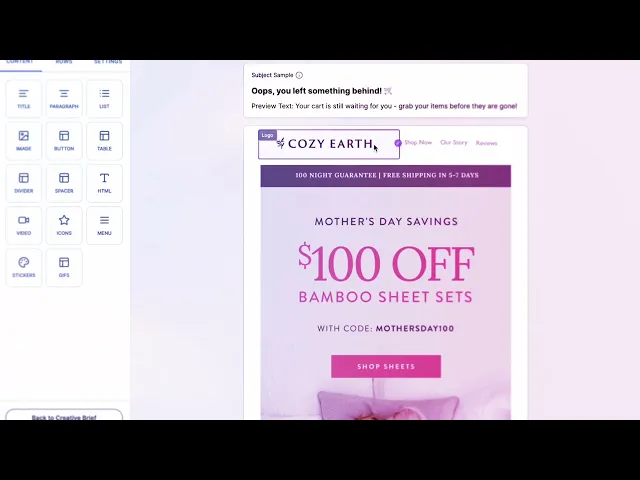
Include alt text for images and avoid large image blocks without supporting copy, as Gemini cannot extract meaning from pictures alone.
If you use dynamic modules, ensure there’s enough live text for summarization.
Clean HTML and logical organization help Gmail decide what to summarize.
3. Write honest subject lines and concise preview text.
Subject lines remain critical for opens, but AI email summaries will highlight misaligned messaging.
Ensure subject lines communicate the value of your email. You can use tools like an email subject line generator to come up with your brand’s best subject lines.
Avoid click‑bait as Gmail’s models flag deceptive, spammy tactics.
Preview text may still display, but plan for the possibility that Gemini’s summary will eclipse it.
4. Personalize and segment your lists.
Generic batch‑and‑blast campaigns perform poorly compared to segmented sends, making it easier than ever for recipients to unsubscribe.
Use behavioral data to segment by engagement or preferences.
Personalize content using names, past purchases or lifecycle stages to make the summary more relevant.
Prioritize engaged segments and sunset inactive subscribers to maintain deliverability.
5. Optimize sending cadence and list hygiene.
Gmail’s new subscription view shows how often you send, making high‑frequency brands at risk to be viewed negatively.
Invest in building re‑engagement flows and gradually ramp up sends to new and engaged subscribers.
Maintain a single sending domain or consistent from‑address to avoid fragmented brand representation.
6. Authenticate and use structured data.
Implement SPF, DKIM and DMARC to protect domain reputation, as AI filters increasingly evaluate domain‑level trust.
Provide specific alt text for images to give Gemini more context.
If using AI tools to build your emails, ensure that their models are trained on high-quality, well-maintained data that’s relevant to your industry.
7. Test and monitor real metrics.
AI summarization behaves differently across devices and inbox types, so test your campaigns in personal Gmail accounts, workspace accounts and Apple Mail to see how summaries appear.
Create plain‑text and HTML versions of your emails.
Frequently A/B test to find your best combinations of subject line and body copy.
8. Embrace unsubscribes as a healthy outcome.
Make peace with unsubscribes and view them as list cleaning rather than a failure. Disengaged users dragging your metrics down is worse than simply letting them go.
Respect permission‑based marketing and always include an easy one‑click unsubscribe, just in case.
Leverage AI Summaries for Better Storytelling
AI email summaries do not spell doom for email marketing. Instead, they offer a filter that amplifies well‑written, customer‑centric content. Don’t lament a loss of control. Treat these summaries as a creative constraint. Craft email content that delivers value right away, and AI will surface your best points to recipients.
AI summaries and easier unsubscribe access represent a larger shift toward contextual inboxes that use machine learning and user data to intelligently filter, prioritize and deliver emails. For marketers, this shift means:
Quality beats quantity: Deliver value and clarity in every send.
Structure and semantics matter: Make it easy for AI and humans to understand your messages.
Transparency and respect win trust: Let subscribers leave gracefully and focus on those who want to hear from you.
By adopting the practices above, you can ensure your brand remains visible and relevant, no matter how algorithms impact inbox curation. The future of email marketing belongs to marketers who embrace these changes and design excellent email content that truly connects with each and every subscriber.

