Guides
Designing for the AI Inbox: Why HTML Emails Will Win the Next Era of E-commerce
AI is rewriting your emails. See why HTML-based email design is essential for visibility, deliverability and performance in the next era of ecommerce marketing.

While email remains the most direct and preferred line to customers, the inbox itself is evolving. And more often than not, it’s making reaching your increasingly selective customers more challenging.
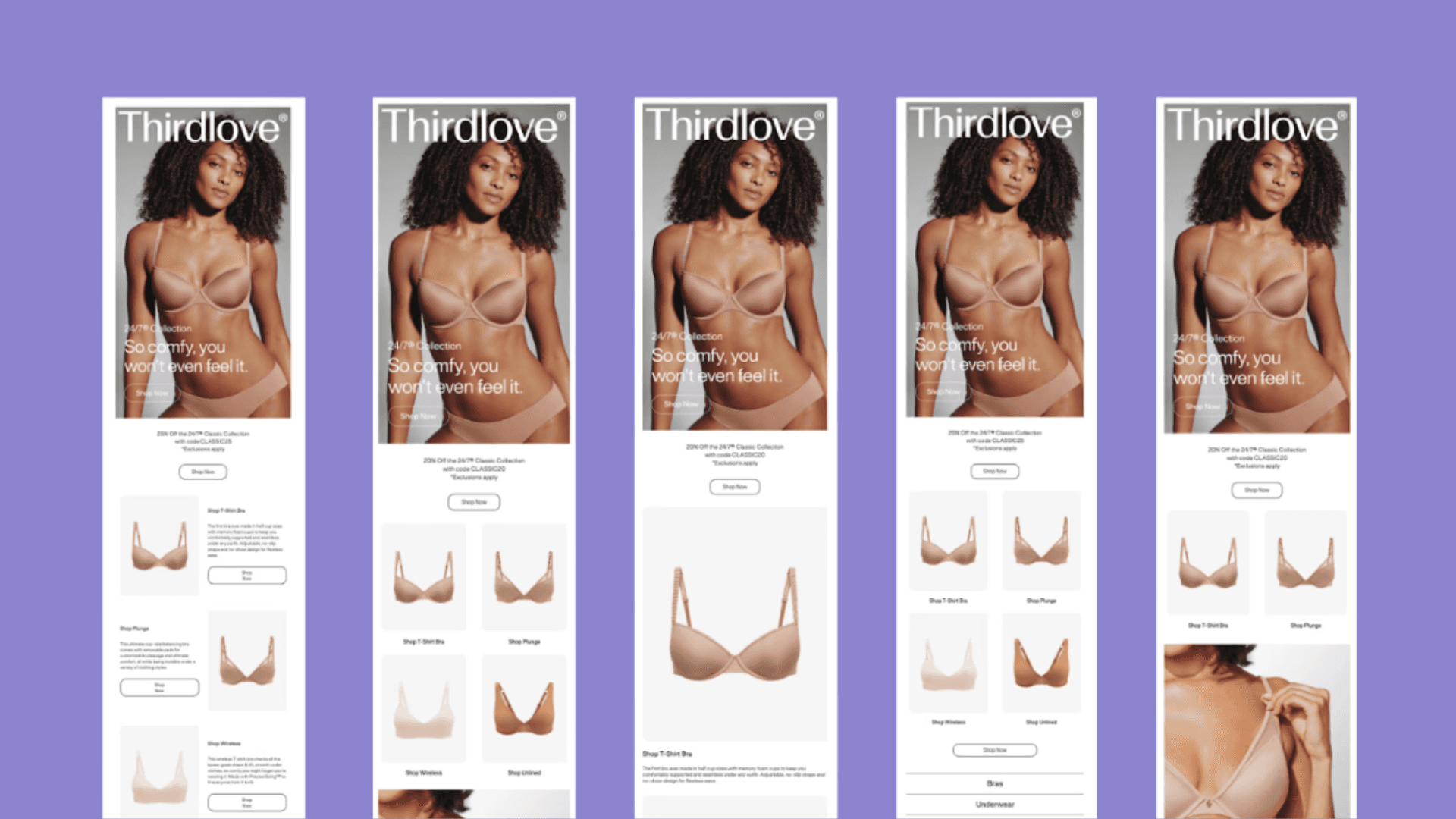
Apple Mail and Gmail have introduced artificial intelligence that summarizes messages before recipients even get a chance to scroll through them. AI‑generated summaries pull snippets, discount codes and fine print into previews. They may even replace your carefully crafted preheader with an unsubscribe note or show a generic “this email contains images” in place of your beautiful hero section. In fact, multiple deliverability and design guides emphasize that image‑only or image‑heavy emails are risky and should be avoided, recommending at least a 60/40 or 80/20 text‑to‑image ratio.
This all means that brands who rely on image‑only newsletters risk having their offers distorted or hidden in the most important part of the inbox.
Despite these challenges, there are opportunities. When you build HTML‑rich emails with live text, dynamic content and sound structure, you give AI (and your readers) something more meaningful to work with.
So here’s why HTML emails—rather than image‑only designs—are the way forward. We’ll also dive into how to make HTML-based emails look good, perform well and work for your brand, just as they do for our customers.
How AI Email Summaries Rewrite Your Messages
Apple Mail: Pre-Open & Post‑Open Summaries
Apple’s Mail app replaced the familiar pre‑header with AI‑generated preview sentences. On devices like the iPhone 15 Pro, users now see a two‑line summary right in their inbox. Open the message and a new “Summarize” button appears. While Apple acknowledges that these summaries may omit context or even ignore your alt text, they’re becoming the default way many subscribers scan their inboxes.
Gmail’s Gemini: Post‑Open Summaries & Subscription Management
Gmail’s approach is slightly different. Gemini generates a summary card after the recipient opens your email, highlighting value propositions, deadlines and offers. This AI email summary only appears if there’s enough live text to summarize. So if your email opens with a hero image containing all of your critical content, Gemini shows a bland “this email contains images” note.
Gmail has also introduced a Manage Subscriptions view that lists every brand a user is subscribed to and ranks senders by frequency. High‑frequency senders and irrelevant campaigns are easier than ever to unsubscribe from. This is critical to note, especially as 51% of subscribers say the top reason they unsubscribe from marketing emails is because they are receiving them too frequently.
While each mailbox provider is different, their methods and goals of email summarization are similar. If your email doesn’t contain meaningful live text and a clear structure, AI will either ignore it or misinterpret it.
Why Do Image‑Only Emails Now Fall Short?
Beyond AI email summarization, there are a few other ways image-only emails are failing ecommerce brands.
Slow Load Times & Clipping
Large images take longer to load than text. A well‑coded HTML email can minimize file size and prevent Gmail from clipping your message. Image‑heavy messages can also stall on mobile networks. When nearly 42% of emails are opened on mobile devices and the average reader spends just 10 seconds on a message, those delays cost you both attention and conversions.
Deliverability & Spam
Spam filters prefer balanced text‑to‑image ratios. Text helps mailbox providers evaluate legitimacy and assign your campaign to the right folder. Without sufficient live text, your tracking pixels and links may also be stripped, making engagement impossible to measure.
Accessibility & Inclusivity
Screen readers can’t read words embedded in images. Therefore, important information like promo codes, dates and calls‑to‑action should always be presented as live text.
Outlook and other clients often block images by default, while alt text displays in place of pictures. Apple’s AI ignores alt text when generating its summaries. Additionally, if your email is mostly images, visually impaired users—who make up around a quarter of the global population—and AI summaries will miss your message entirely.
What Are The Benefits of Well‑Coded HTML Emails?
Personalization & Dynamic Content
HTML allows you to personalize everything in an email, from its greeting to your product recommendations. It has the flexibility to insert dynamic fields—such as names, locations or loyalty status—and design responsive layouts for every device. Dynamic or gamified content such as personalized imagery, countdown timers or weather‑based recommendations significantly increases engagement as well.
Plus, 71% of people simply expect personalized emails, and HTML-based messages ensure you’re meeting those expectations!
Faster Load Times & Responsive Design
When coded properly, HTML emails tend to load faster than image‑based (or image‑slice) emails because HTML is much lighter and easier to optimize. Meanwhile image‑only designs depend on heavier assets and slower image servers or CDNs.This matters because nearly half of your readers are on mobile and will abandon a slow‑loading message.
Enhanced Analytics & Deliverability
HTML supports tracking pixels, unique links and dynamic segmentation, allowing marketers to embed visuals, interactive elements and track opens and clicks with precision. A/B testing different calls‑to‑action and layouts can yield insights that plain text cannot.
Accessibility & Email‑Safe Fonts
Live text isn’t just for AI. it makes your content accessible to everyone. Using email‑safe fonts is absolutely critical for both human readability and AI email summaries.
You also need to write unique alt text for each image and place essential information as live text. Buttons built with HTML and live text ensure your call‑to‑actions also work, even when images don’t load.
How to Design People-Friendly & AI‑Friendly HTML Emails
If image-only (or image-heavy) emails are your comfort zone, that’s ok (though it may not be for too much longer)! Here are some tips for how to design great HTML emails for both consumers and mailbox providers.
Front‑Load the Value
AI models (and people, of course) focus on your opening lines. Put the most important information—such as your offer, deadline or value proposition—at the top of your email. Avoid generic greetings or lengthy introductions. Gemini especially keys in on your opening lines, so ensure your copy is clear, concise and easily digestible.
Use Clear Structure & Headings
Break your content into sections with headings, subheadings and bullet points. Bold key lines and code calls‑to‑action as buttons. Gemini and Apple’s AI use this structure to identify what to summarize.
A logical layout also improves readability on mobile. For a full breakdown on what makes for great email structure, check out our guide Creating Mobile‑Friendly Email Designs: A How-To Guide for E‑Commerce Marketers.
Balance Text & Imagery
A 60/40 text‑to‑image ratio is recommended. Use images to support your story, not to tell it. Provide descriptive alt text and avoid too large of hero images without supporting copy.
Stick to Email-Safe Fonts
If your brand’s chosen font isn’t installed on your recipient’s device, they’ll simply see another font in use and an altered email design. Stick to widely supported fonts, instead. The commonly-accepted core set of email-safe fonts are:
Arial (sans-serif)
Helvetica (sans-serif, very safe on Apple; pair with Arial as fallback)
Verdana (sans-serif)
Tahoma (sans-serif)
Trebuchet MS (sans-serif)
Georgia (serif)
Times New Roman (serif)
Courier New (monospace)
Also limit yourself to two fonts per email, in order to avoid spam filters.
Test & Optimize Deliverability
Keep your templates light, test in dark mode and across clients. Regularly monitor engagement metrics to learn what changes you should implement to improve your next send.
Segment & Personalize Intelligently
Avoid batch‑and‑blast campaigns. With Gmail’s Manage Subscriptions ranking you by frequency, send cadence should be aligned to optimize engagement. Use behavioral and demographic data to personalize offers.
For a full breakdown on how segmentation improves engagement, take a look at our guide Beyond Demographics: Advanced Segmentation for Email Personalization at Scale.
How Backstroke Optimizes Email for People in the AI Era
At Backstroke, our mission is to make every email feel like a tailored conversation. We build HTML‑heavy, AI‑friendly emails that look beautiful within any mailbox provider and deliver the information both people and AI summaries need.
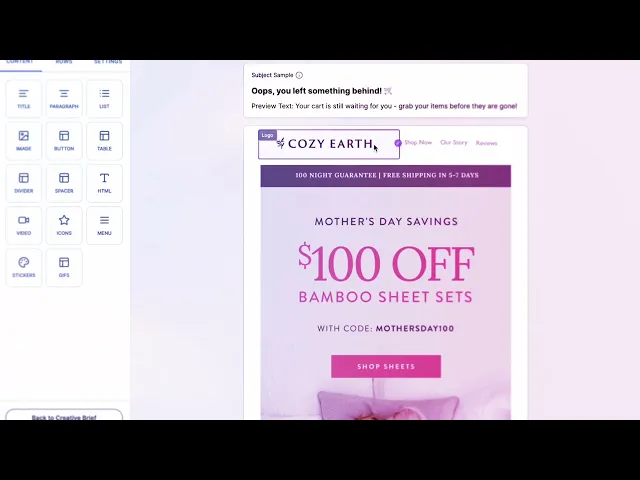
The latest release of our L5 Agentic Engine accounts for human accessibility, readability, and AI-powered email summary optimization with:
Modular, responsive templates: Our builder produces responsive HTML templates that are optimized for AI summaries. Each module includes meaningful live text, alt text and beautifully designed, properly proportioned images.
Personalization and dynamic content: Backstroke integrates with your e‑commerce and CRM data to create dynamic modules, such as product recommendations, countdown timers and more. This keeps your emails relevant and improves ROI through timely content and offers.
AI‑aware design: Our templates front‑load value and follow best practices for headings, alt text and balanced text‑to‑image ratios. We ensure your subject lines, preheaders and opening lines deliver clear messages.
Looking Ahead At Email in 2026
Acceptable email design continues evolving to meet consumer demand and AI-powered progress. As Apple and Google continue to summarize emails before they’re opened, the brands that succeed will be those that communicate clearly, concisely and accessibly. Image‑only newsletters and flashy hero banners may still have a place, but only when paired with live text and dynamic content.
HTML emails allow you to deliver a consistent and responsive experience, while providing the cues AI needs to generate accurate summaries that your subscribers immediately see. By embracing well‑coded HTML, front‑loading your value and serving content your subscribers actually care about, you’ll not only survive AI summarization . . . you’ll turn it into an advantage.