Guides
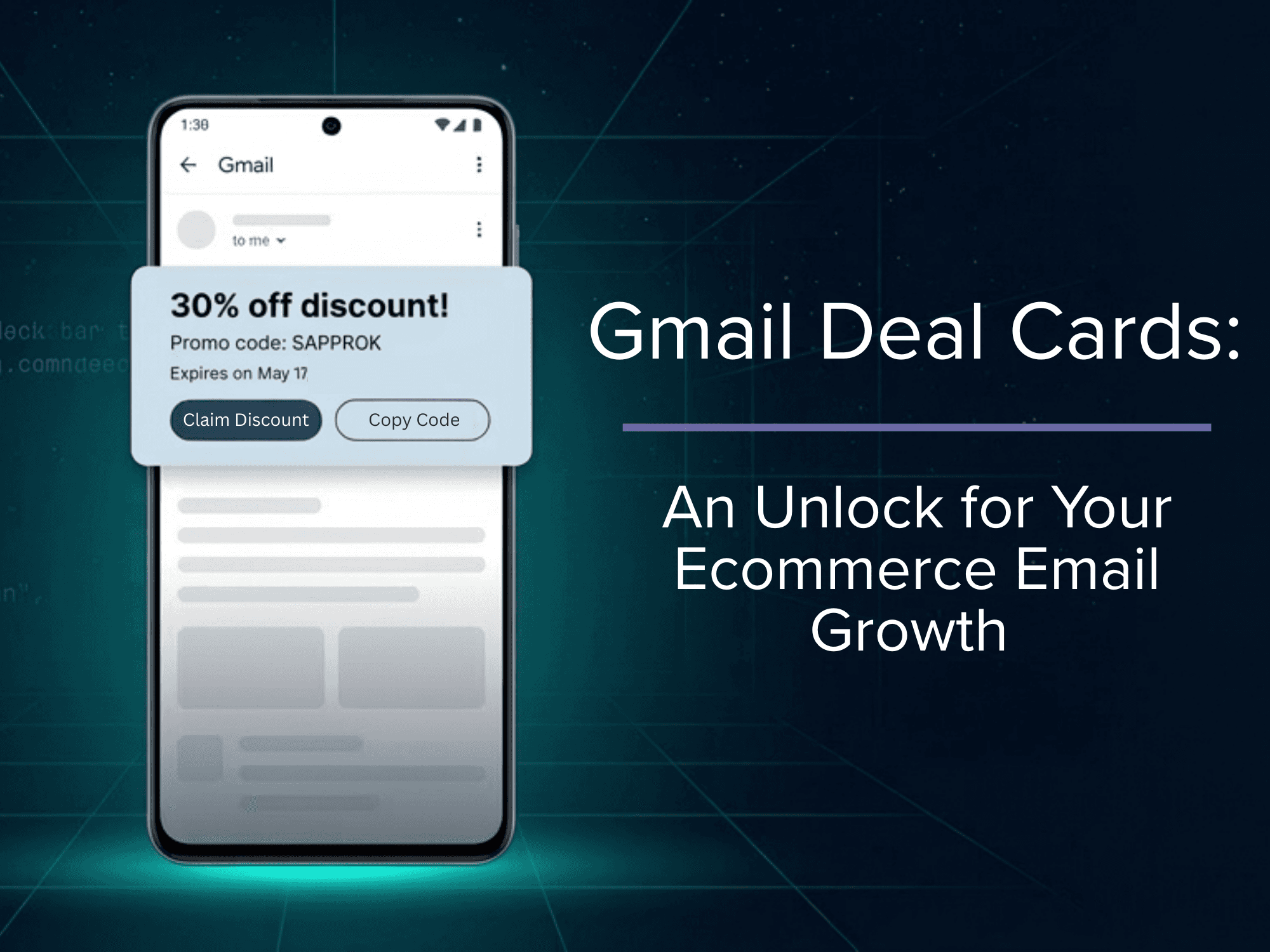
Gmail Deal Cards: An Unlock for Your Ecommerce Email Growth
This is a tactical guide to implementing Gmail Deal Cards in emails and why ecommerce brands that do it now have a first-mover advantage.

While some ecommerce brands treat the Gmail Promotions tab like a graveyard, the smart ones are treating it like a storefront.
AI inboxes have flipped email on its head. The cold, hard truth is that Gmail's AI isn't just filtering your emails . . . it's rendering them differently, depending on how well you've structured their contents. Brands using schema markups unlock a visual layer that most of their competitors don't even know exists: Deal Cards, Deal Badges and Product Carousels.
Deal Cards add an extra visual layer of marketing to your inbox placement. They’re some of the most underutilized conversion levers in ecommerce email right now. Implementation is more achievable than you think . . . and we’ll show you how it’s done.
What Are Gmail Deal Cards, Exactly?
Before we get into implementation, let's define what we're talking about. Gmail's annotation system has four core features that ecommerce brands can unlock.
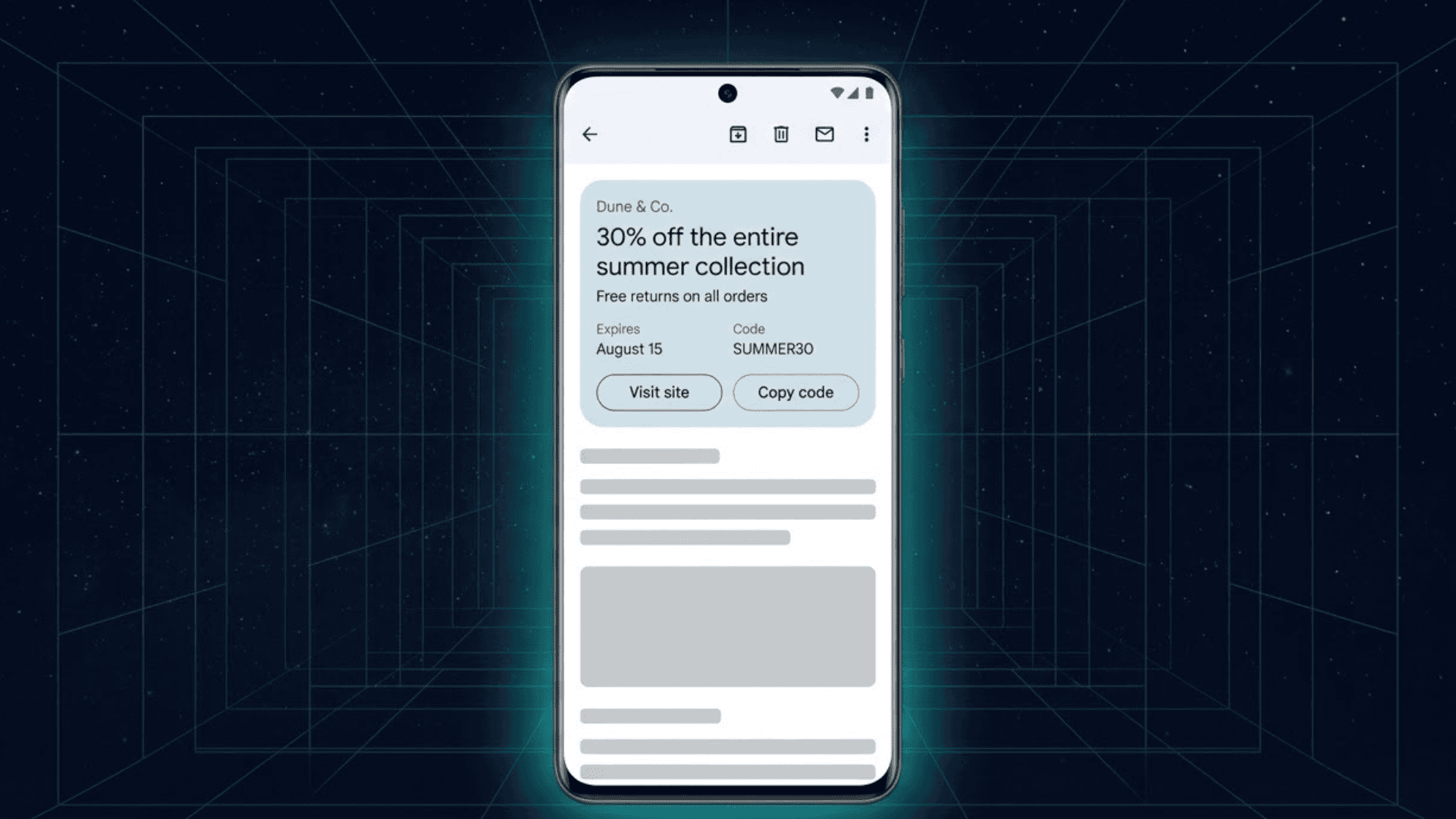
Deal Cards are auto-generated offer summary cards that appear at the top of a promotional email when a subscriber opens it. They display your discount percentage, coupon code and expiration date. This info is pulled directly from structured data you embed in your email's code. They're powered by DiscountOffer JSON-LD schema markup.
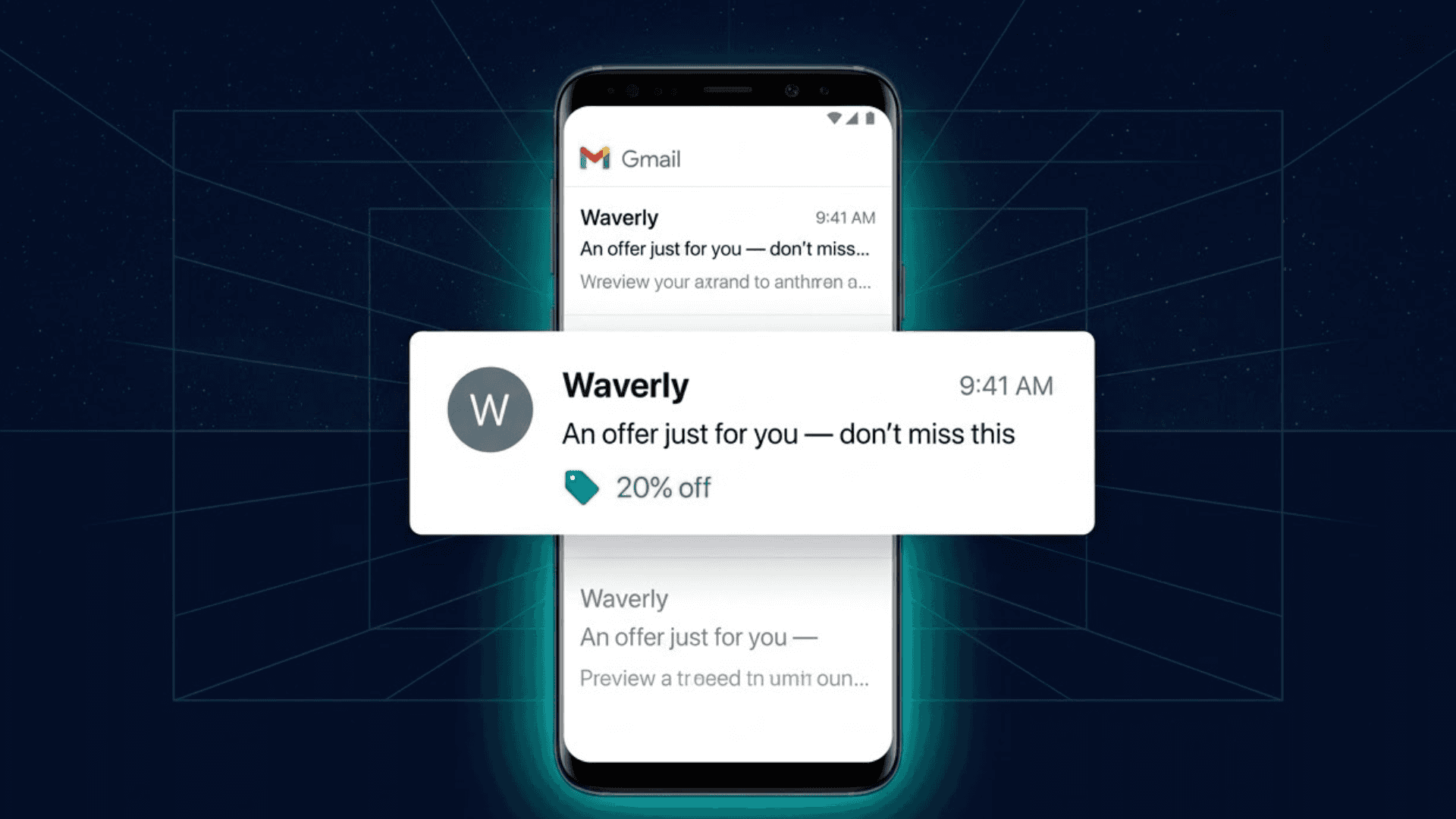
Deal Badges are compact offer labels that appear alongside your subject line in the inbox view. This means that subscribers see your offer, before the email is even opened. Think of them as a visual callout that makes your email stand out the moment it hits the inbox.
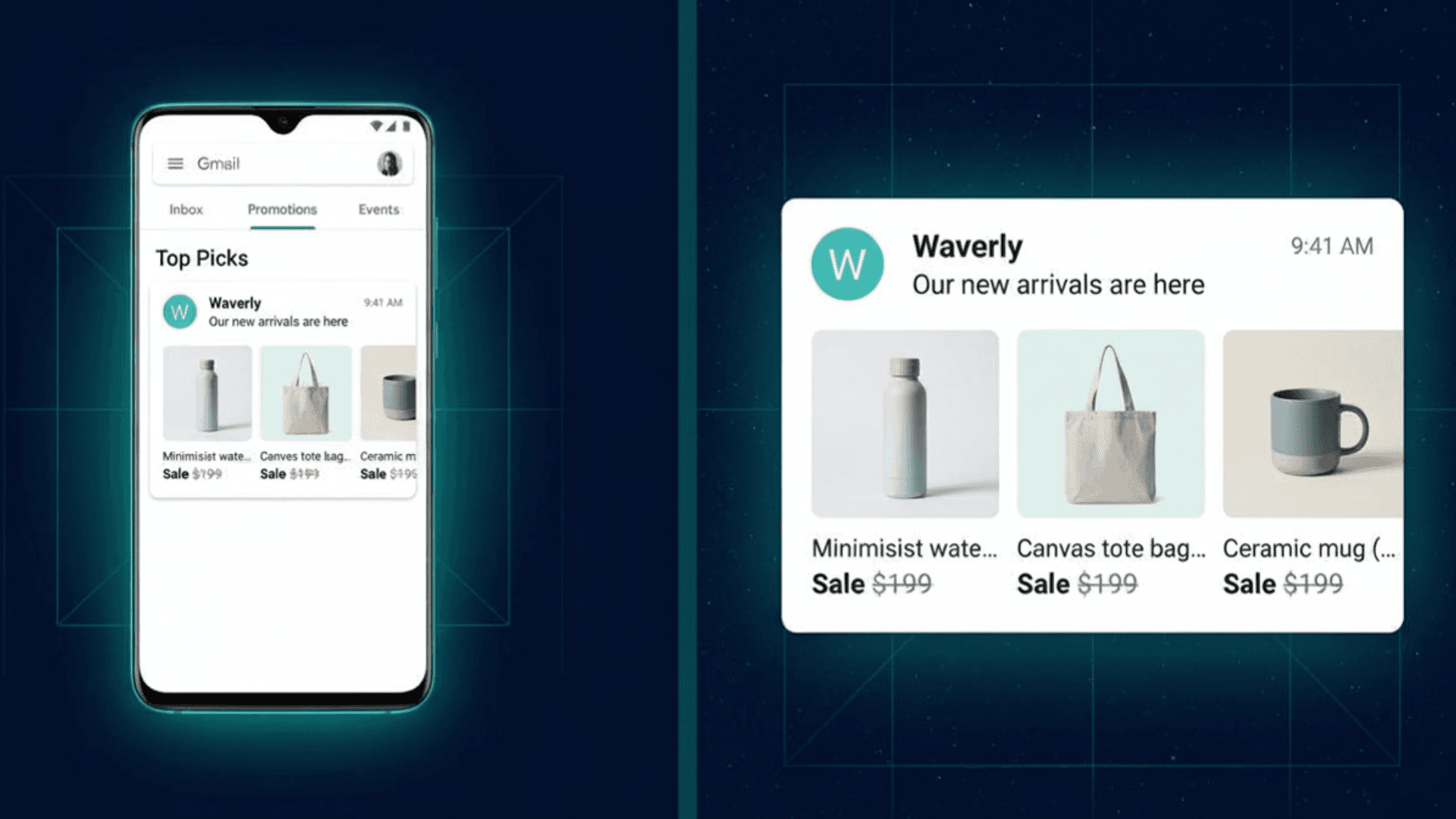
Product Carousels surface up to 10 product image previews at the inbox level via PromotionCard markup. Gmail's machine learning techniques will actually auto-generate these from image-heavy emails without explicit markup, but when you add it yourself, you control exactly which products are shown and how.
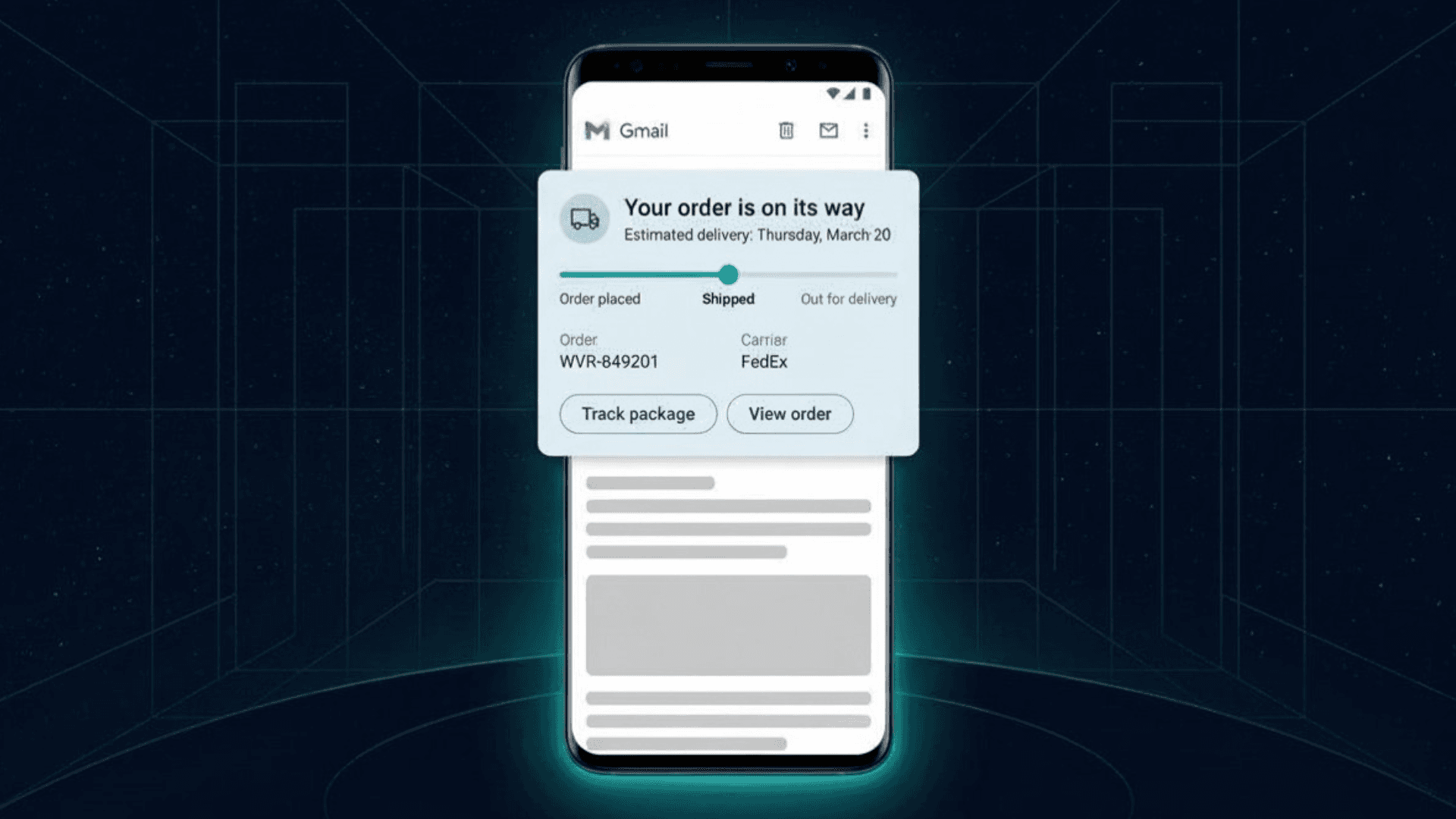
Summary Cards are dynamic, real-time cards built for transactional emails, such as order tracking updates, event reminders or shipping notifications, that keep key information surfaced and actionable.
The key distinction worth understanding is that when Apple Mail or Gmail generate AI summaries, they're interpreting your copy and deciding what to surface. Deal Cards are different though. You're giving Gmail structured, machine-readable data that it then uses to render UI elements on your behalf.
Rather than racing against the algorithm, you're working with it.
Gmail Deal Card & Summary Card Performance Data
Let's talk numbers, because these aren't marginal gains. A case study published by Marketing Agent Blog documented the following lifts for an ecommerce brand using Deal Cards versus a control group without them:
+28% open rate
+41% click-through rate
+38% conversion rate
+37% revenue per recipient
If you're worried about a production lift when implementing them, you can rest assured knowing that text-only Deal Cards—with no hero images or custom graphics—still drove +17% open rates and +25% CTR. This tells us that performance isn't dependent on visual production, but the structured data you provide.
The Outlook angle is worth noting too. Microsoft announced schema.org markup support in 2025 using the same JSON-LD format. Partners implementing structured markup with Outlook have seen up to 30% higher engagement rates. Outlook's current schema support covers travel, package tracking and hospitality, so ecommerce schemas are a logical next expansion.
The brands building this muscle on Gmail today are already positioned when Outlook follows suit.
Sound Great? Let’s See If Your Brand Is Eligible.
Before you start implementing plans for deal cards, confirm you meet Gmail's eligibility requirements. This is a short checklist:
SPF and DKIM email authentication are in place, with DMARC strongly recommended. In plain terms, these are the technical credentials that tell Gmail your sending domain is trustworthy and verified. If you're already sending reliably through an ESP like Klaviyo, there's a good chance these are already set up, but a quick check with your developer will confirm.
Sending history of 100+ emails per day to Gmail addresses over several consecutive weeks.
Spam complaint rate below Gmail's bulk sender threshold. Gmail enforces a spam complaint rate threshold of 0.10%. If more than 1 in 1,000 recipients marks your email as spam, your sending reputation and annotation eligibility are both at risk. Your spam complaint rate is viewable directly inside Google Postmaster Tools. If your team isn't already monitoring it, that's worth flagging to your developer or email ops person.
Allowlist approval from Google's Promotions Outreach team (more on that below).
These authentication and volume requirements mean most small senders and newer brands aren't eligible yet. If your program meets these criteria today, you have a window of competitive advantage before adoption becomes widespread among all ecommerce brands.
How to Implement Gmail Deal Cards: The JSON-LD Basics
JSON-LD (JavaScript Object Notation for Linked Data) is a block of structured code added to the <head> of your HTML email. It's completely invisible to your subscribers, but Gmail's crawlers read it and use it to render annotation features on your behalf.
Here's a clean, copy-ready Deal Card implementation using a DiscountOffer schema:
The three fields Gmail prioritizes in Deal Card rendering are discount value, coupon code and expiration date. Keep those fields as accurate and specific as possible! Vague descriptions or missing expiration dates will result in a weaker or missing card render.
Our recommendation is to start with Deal Cards on your highest-volume promotional sends like site-wide sales, seasonal offers or clearance events. The markup is simpler, testing is cleaner and the performance data will give you a clear baseline.
Before sending your first email with an associated deal card, use Gmail's Structured Data Testing Tool to verify your markup parses correctly, then send 5–10 test emails to personal Gmail accounts to confirm rendering looks right in a live inbox environment.
When the time to try out Product Carousels comes, know that PromotionCard markups work similarly, tagging individual products with name, image URL, price and its destination link. You can annotate up to 10 products per email, each rendered as a visual tile at the inbox level before the subscriber opens. This is particularly powerful for new arrival sends, category promotions and curated gift guides.
How to Register With Google to Send Deal Cards
You also need to register with Google, before you can start including Deal Cards with your sends. Gmail's allowlist approval process runs entirely through direct email. Here's how it works:
Confirm SPF, DKIM and DMARC authentication are properly configured.
Embed your JSON-LD markup and send test emails to personal Gmail accounts to verify correct parsing.
Email p-Promo-Outreach@google.com with your sending domains, subdomains and landing page URLs to request allowlist approval. This same address is your point of contact for status updates and any questions throughout the process.
Allow 7–10 business days for a response.
Before you hit send, understand that approval isn't guaranteed. Google evaluates your sender reputation, authentication setup and email quality, holistically. The cleanest path to approval is a well-maintained list, consistent sending cadence, low complaint rates and emails that deliver genuine value.
If your program is in good shape, the bar is achievable!
First-Mover Advantage Is Rare in Email. This Is One of Them.
Most ecommerce email strategy in 2026 seems to focus on surviving AI, avoiding bad summaries, managing one-click unsubscribes and fighting deliverability filters. (Of course, we care about all of those things too!) But Gmail Deal Cards are one of the few tactics that actually leverage AI infrastructure to your advantage.
As Outlook expands its schema.org support and more inbox providers follow Gmail's lead, structured email data will become a standard layer of ecommerce email. The brands building this capability now will have a durable technical advantage as the AI inbox matures.
For brands willing to do the work, it's becoming one of the highest-intent surfaces in digital marketing. And that’s you, right?
—-
Ready to optimize your promotional emails for Gmail's AI? Check out our guide to How to Rise to the Top of Gmail's New "Most Relevant" Promotions Tab for the full strategy. And if you want your email copy to be ready for the AI inbox before you even hit send, see how Backstroke builds campaigns that are structured for performance.

